PinPoint: know exactly where your customer is before you dispatch

PinPoint gets your customer's exact location — without the back-and-forth.

“I’m near a roundabout, I think it’s the A303?” Vague locations waste time, burn fuel, and frustrate drivers who are already stressed. PinPoint cuts through it.

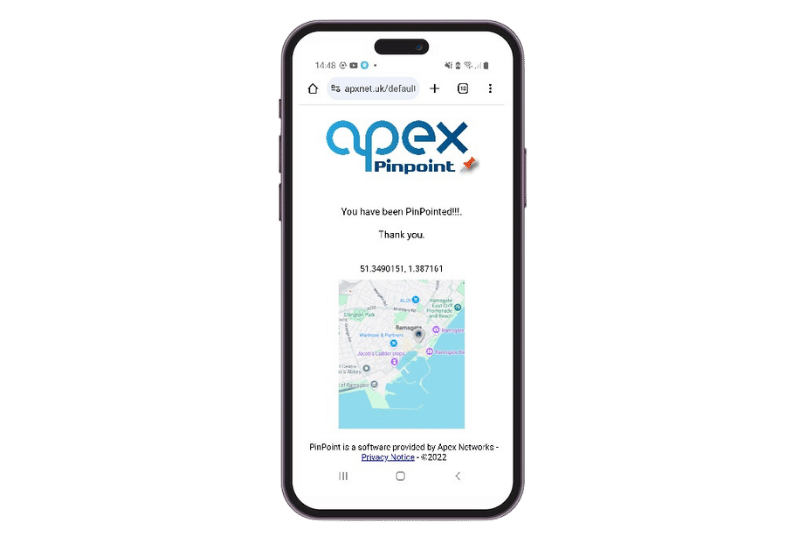
Send a location request directly from your RMS job. Your customer taps the link on their phone — no app, no account, no faff — and their precise location drops straight onto your map. Your driver heads to the right place, first time.

  • Works on any smartphone — no app download required
  • Customer’s exact GPS coordinates appear in the job instantly
  • Fewer wasted callouts, faster response times, less stress all round

How it works

From within the job in Apex RMS, send a location request to your customer’s mobile. They receive a link, tap it once to share their GPS location, and the coordinates appear in the job record immediately. Your controller can see exactly where they are and dispatch accordingly.

It takes seconds. No back-and-forth, no guesswork.

Get PinPoint live in under five minutes

Log in to your Customer Self Service Portal, then:

  1. Select RMS from the left-hand menu
  2. Go to Extras
  3. Find PinPoint and click Enable
  4. Confirm on the pop-up — and you’re live

See how Apex fits your operation

Whether you run one truck or a national fleet, we’ll walk you through the platform, show you how it fits your operation, and answer any questions